Installation & Setup
Guide of how you can install and setup Manual deploy extensiton
Manual Deploy Installation and Setup 📦
There are two ways to install the Manual Deploy extension.
💾 Method 1: Install from Extension Panel
This is the recommended method for standard installations.
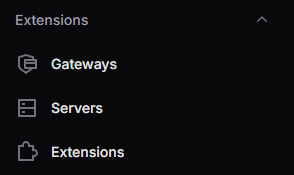
- Navigate to Extensions > Extensions
- Click Install Extension or Upload Extension
- Upload the ZIP file through the extension installer
- Click Save or Activate
📂 Method 2: Manual File Installation
This method is used when uploading files directly to your server.
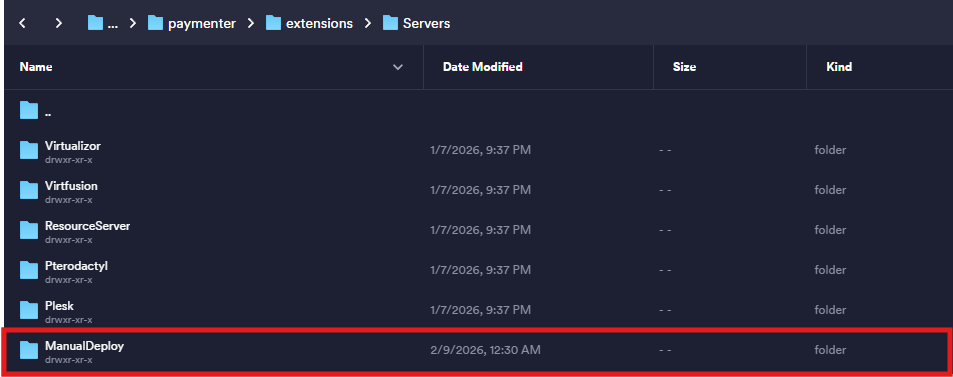
- Connect to your server via SFTP or file manager
- Navigate to the directory:
/var/www/paymenter/extensions/Servers/ManualServers/ - Upload the ManualDeploy folder containing all extension file
📃 After Installation
- Go to Admin > Extensions > Servers
- Click on New Server and select Manual Deploy in right side.
- Put the discord web hook if you want to receive notifications on discord. And then Click to create. Now the extension is ready to use, You can go your any product which need the Manual Deploy process.
⚙️ Setup Manual Deploy Server in Products
- Go to Admin > Products
- Create a new product or edit an existing one
- Under Server, select your Manual Deploy server
- Configure product settings for deployment processes
- Save the product